
 PsychroKit
The psychrometric chart, built for HVAC design.
Plot state points and processes on a clear, zoomable ASHRAE-style chart, see the loads, and export a report with your title block and logo.
Coming soon to the App Store and Microsoft Store
- iPhone and iPad
- Mac
- Windows
- IP and SI units
- Works offline
Features
Every condition, process and load on one chart.
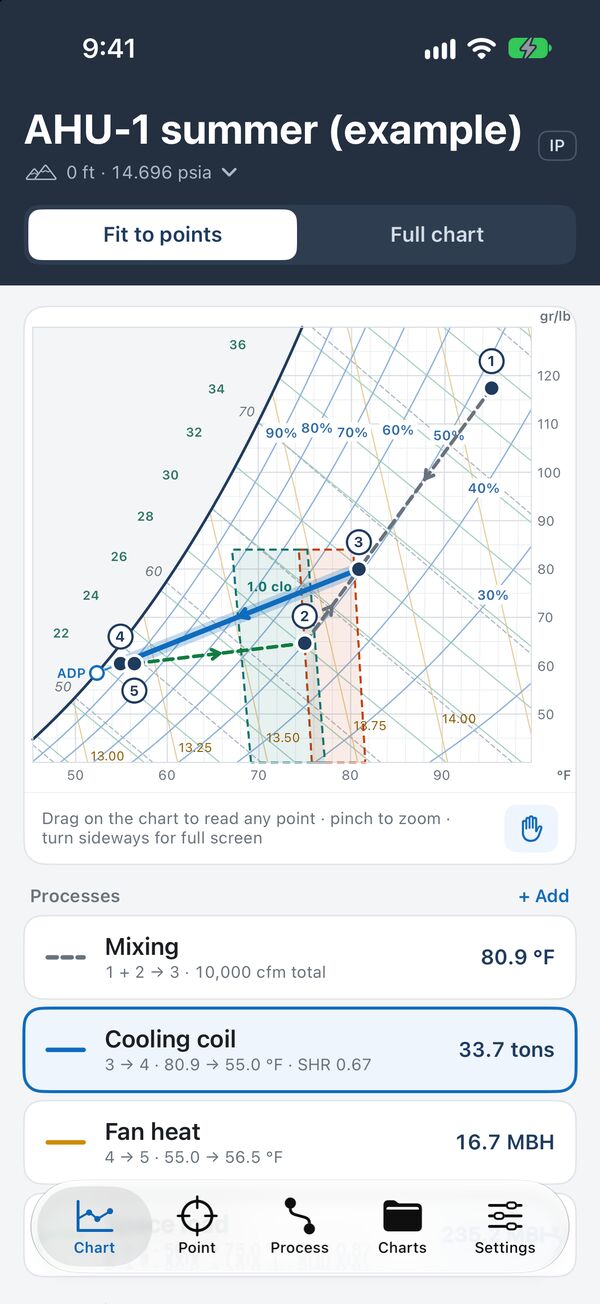
Drawn in ASHRAE’s enthalpy–humidity ratio layout, with every property calculated at your chart’s altitude.
State points
Any condition, every property
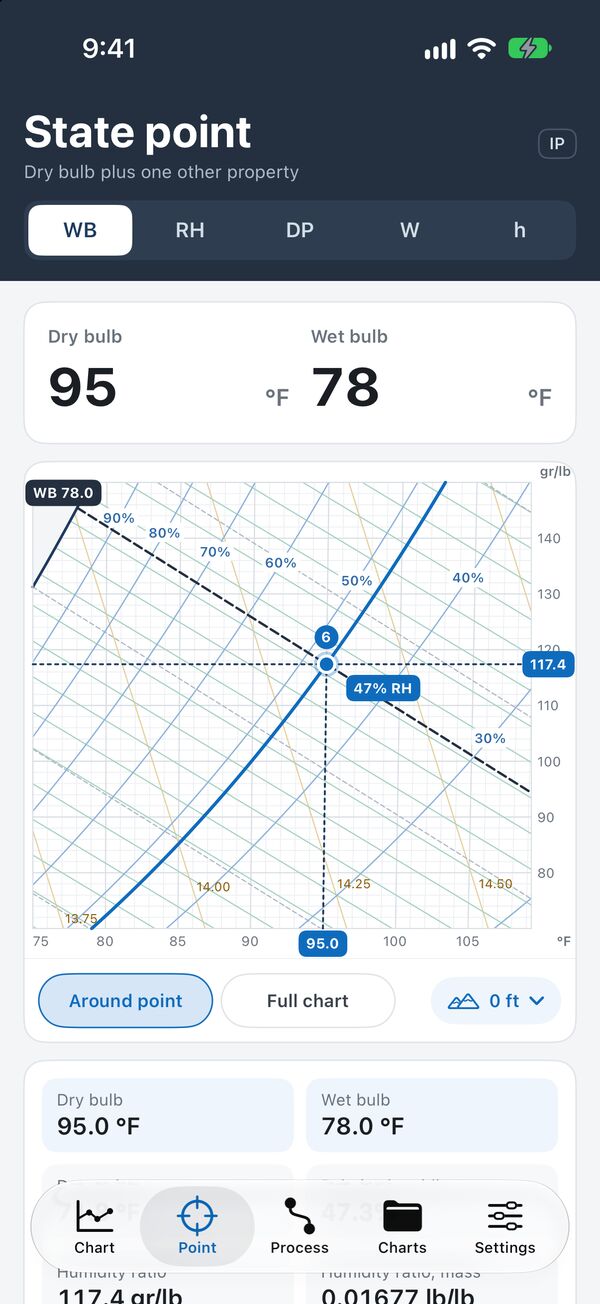
Enter dry bulb with wet bulb, relative humidity, dew point, humidity ratio or enthalpy, and see every property. Drag a point on the chart to move it, or drag anywhere to read a condition.
Processes
Processes with loads
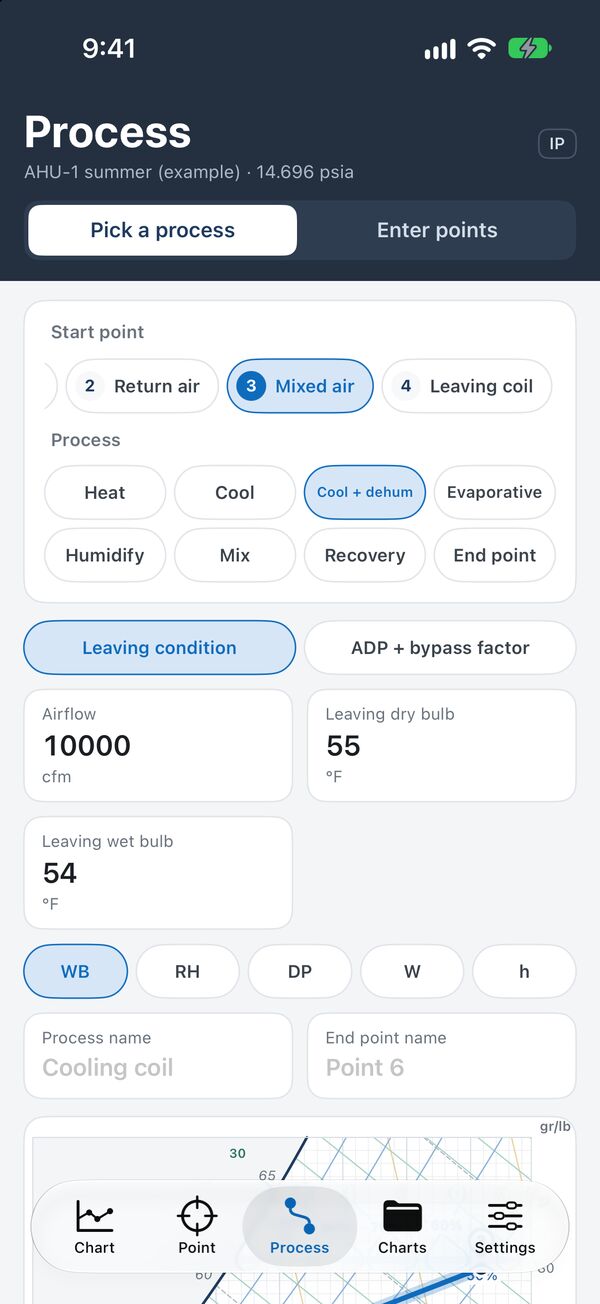
- Heating, sensible cooling and cooling coils, by leaving condition or by ADP and bypass factor
- Evaporative cooling, steam humidifying, mixing and heat recovery
- With an airflow: total, sensible and latent load, SHR and condensate
Systems
Chains that stay consistent
Change the outdoor air and the mixed air, coil and supply conditions update with it. Type a list of points to join them in order, with Δt, Δgr and Δh for each leg.
Comfort
ASHRAE 55 comfort zones
Overlay the 0.5 and 1.0 clo comfort zones from Standard 55’s graphic comfort zone method to check supply and space conditions at a glance.
Reports
Reports and chart files
- PDF reports with the chart, tables, title block and your company logo
- Export a PNG or CSV, or email the chart with one tap
- .psychchart files open on iPhone, iPad, Mac and Windows
Transparency
Any altitude, every equation
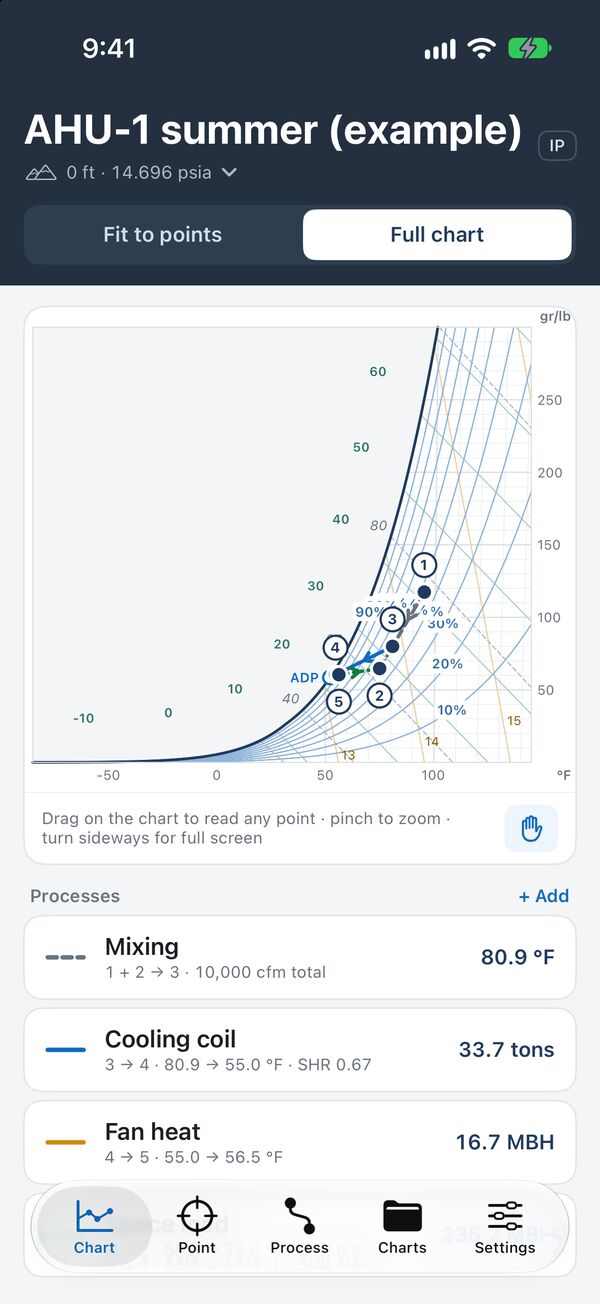
Each chart has its own altitude, set right on the chart. An equations page shows every equation, constant and table the app uses, so you can check its results.
Screenshots
See it in action
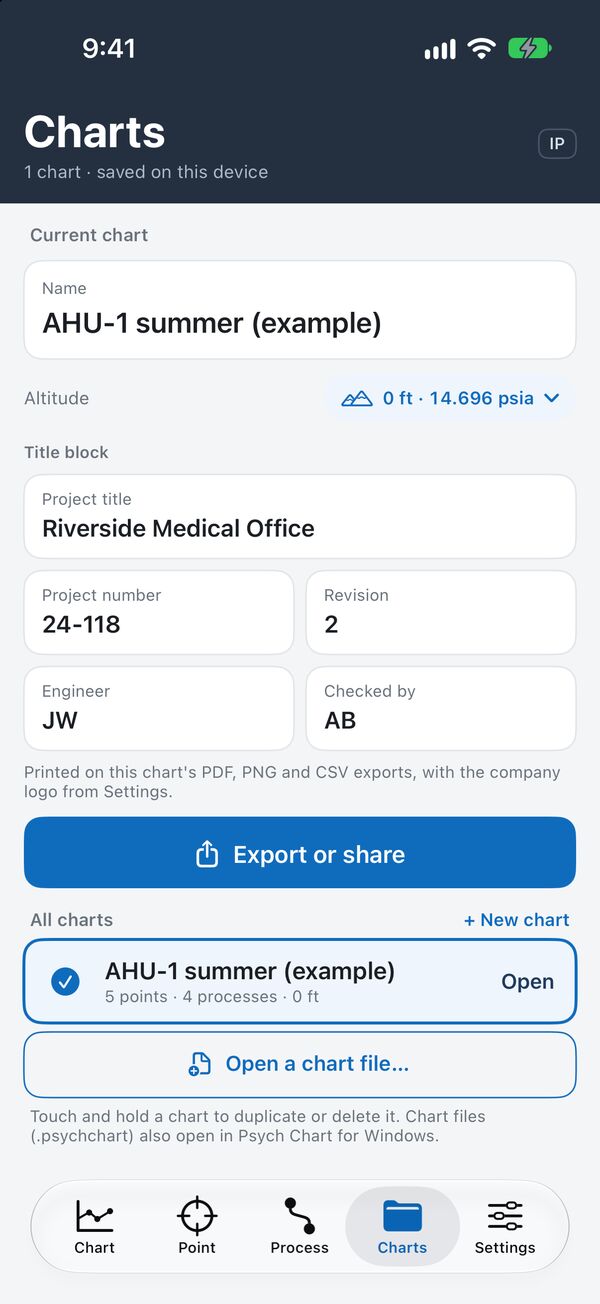
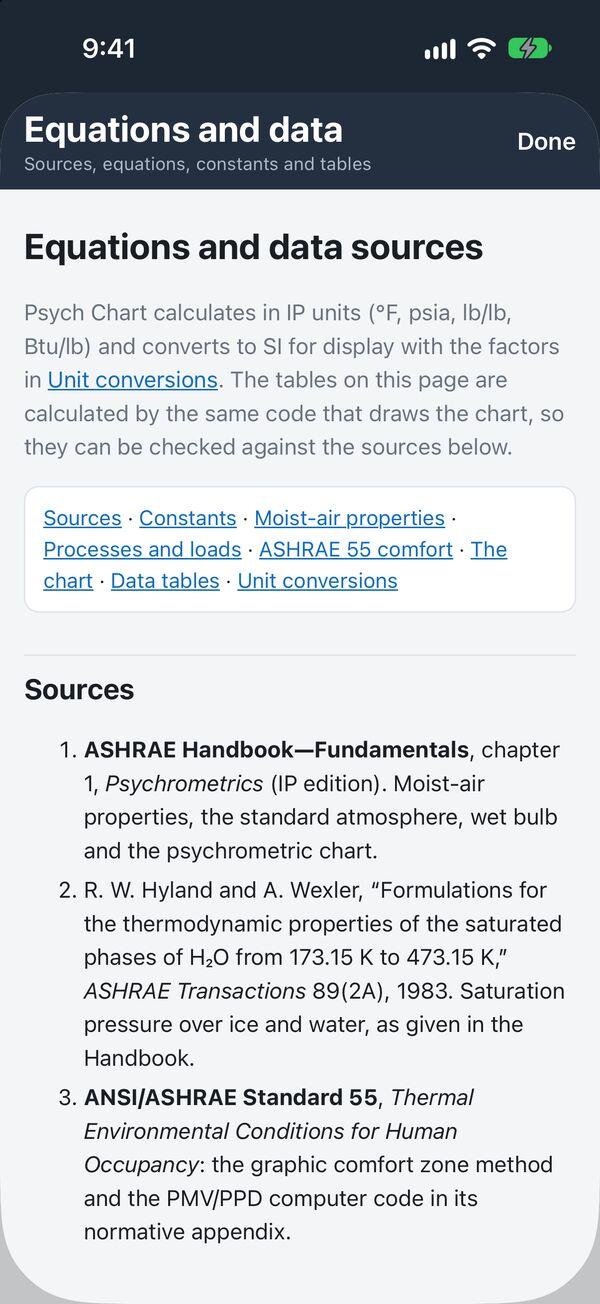
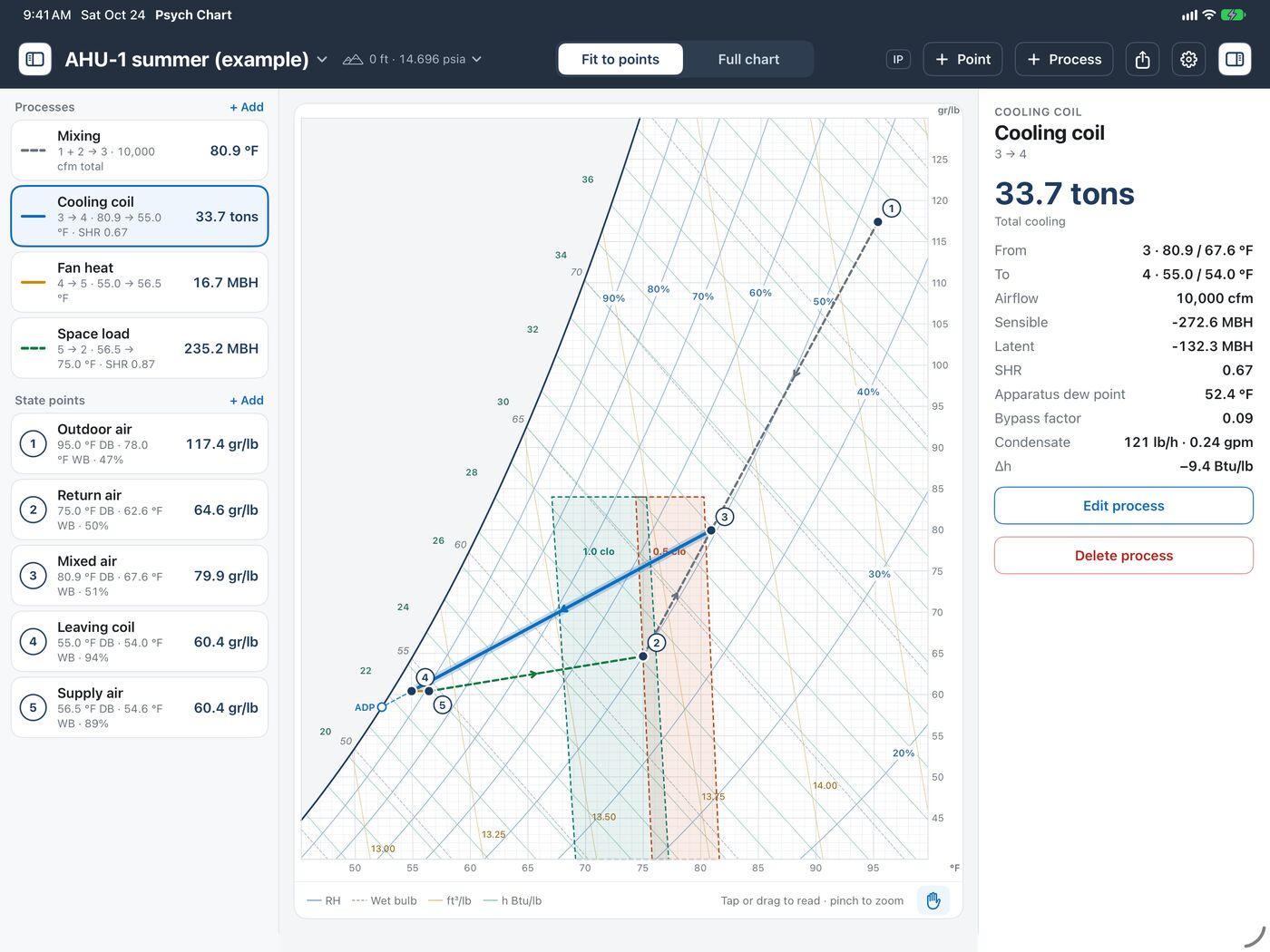
At home on every screen.
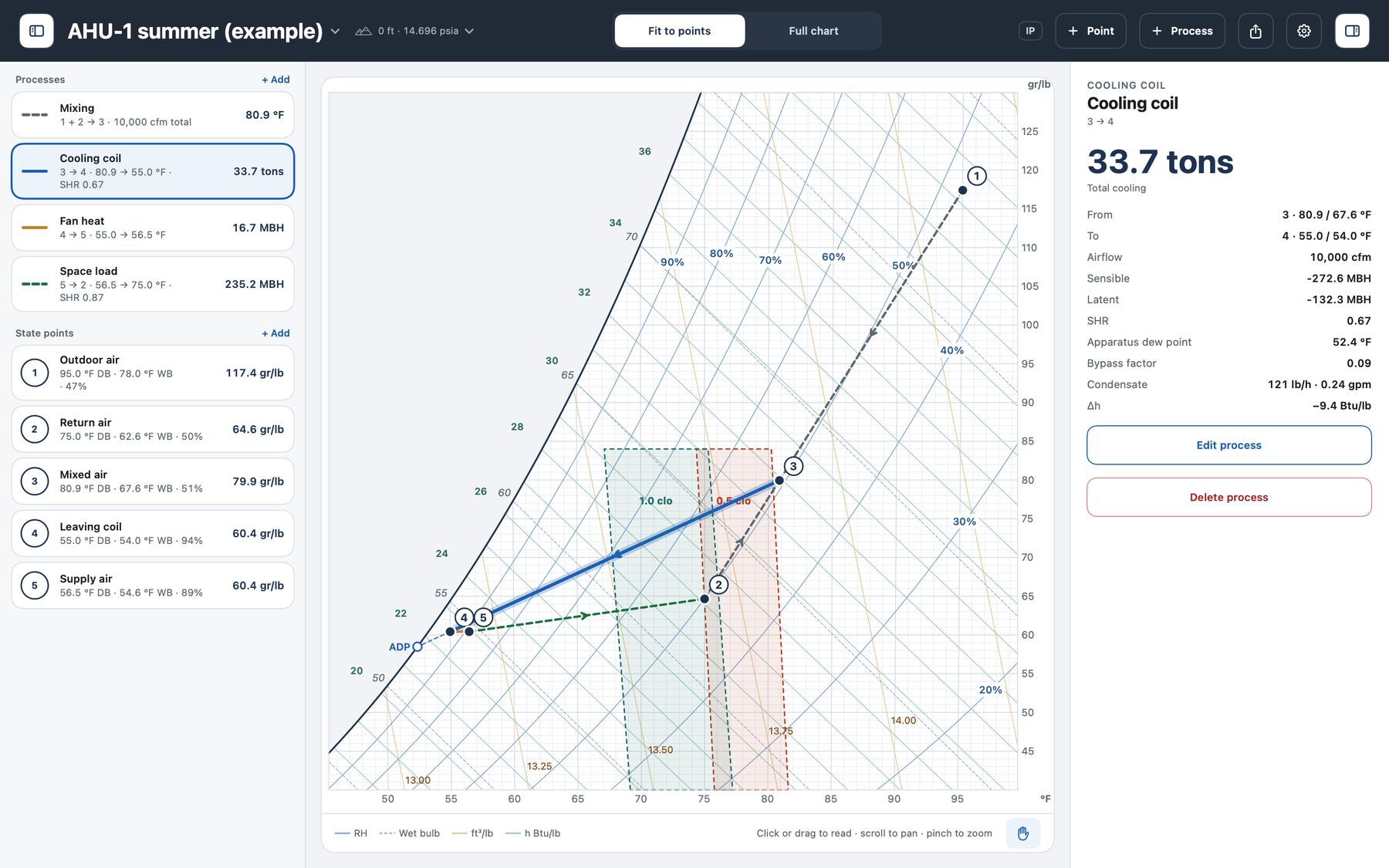
iPhone
Tabs for the chart, points and processes. Turn the phone sideways and the chart goes full screen.
iPad and Mac
A sidebar, the chart and an inspector side by side, with panels that collapse when you want the chart to fill the screen.
Windows
A native Windows app on the same calculation engine: hover to read any point, zoom with the wheel, and print or save reports.
Methods
Built on published references
- Moist-air properties from ASHRAE Handbook—Fundamentals, chapter 1, tested against ASHRAE table values
- Hyland-Wexler saturation pressure, over ice below 32 °F, and the standard atmosphere for altitude
- Cooling coils by the ASHRAE coil line to the apparatus dew point, with bypass factor
- Mixing by mass-weighted humidity ratio and enthalpy, each stream at its own specific volume
PsychroKit is made by JWE Software. Questions and feature ideas are welcome on the support page.
Results are engineering estimates based on standard methods and published data. Always verify final designs against applicable codes, standards and manufacturer data.